
How to use the Smart EMS Energy Cloud API to observe and control your smart energy property
The ABB Smart EMS Energy Cloud API gives you access to property equipped with ABB Smart EMS system and lets you control and monitor it. Additionally you plug your service such as Shared Energy (Mieterstrom and ZEV) on top.
The ABB Smart EMS Energy Cloud API allows the developer to connect via a cloud service without the need to have local access to the home or system.
The Energy Cloud API can be found here: https://api.energy.mybuildings.abb.com/abb/documentation#/
ABB does not offer customer support for the API.
The API allows a maximum of 500 queries per hour per endpoint.
Communication is only permitted via HTTPS.
Alternatively, data can also be exported as a CSV file: Article CSV Export
Authentication
Cloud API keys can be created and managed in the profile settings. If the option is not yet visible there, please contact your support team – the feature will be activated upon request.
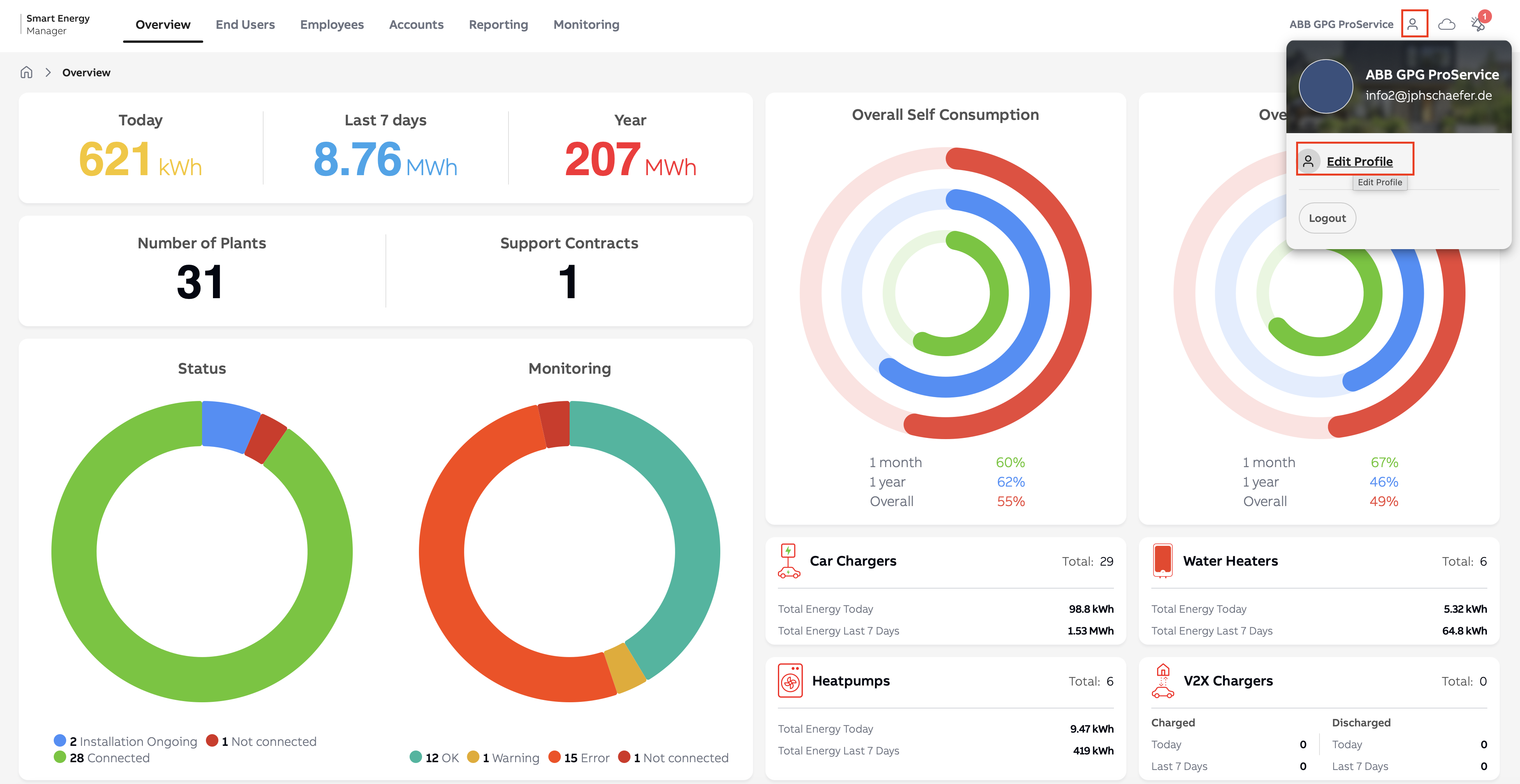
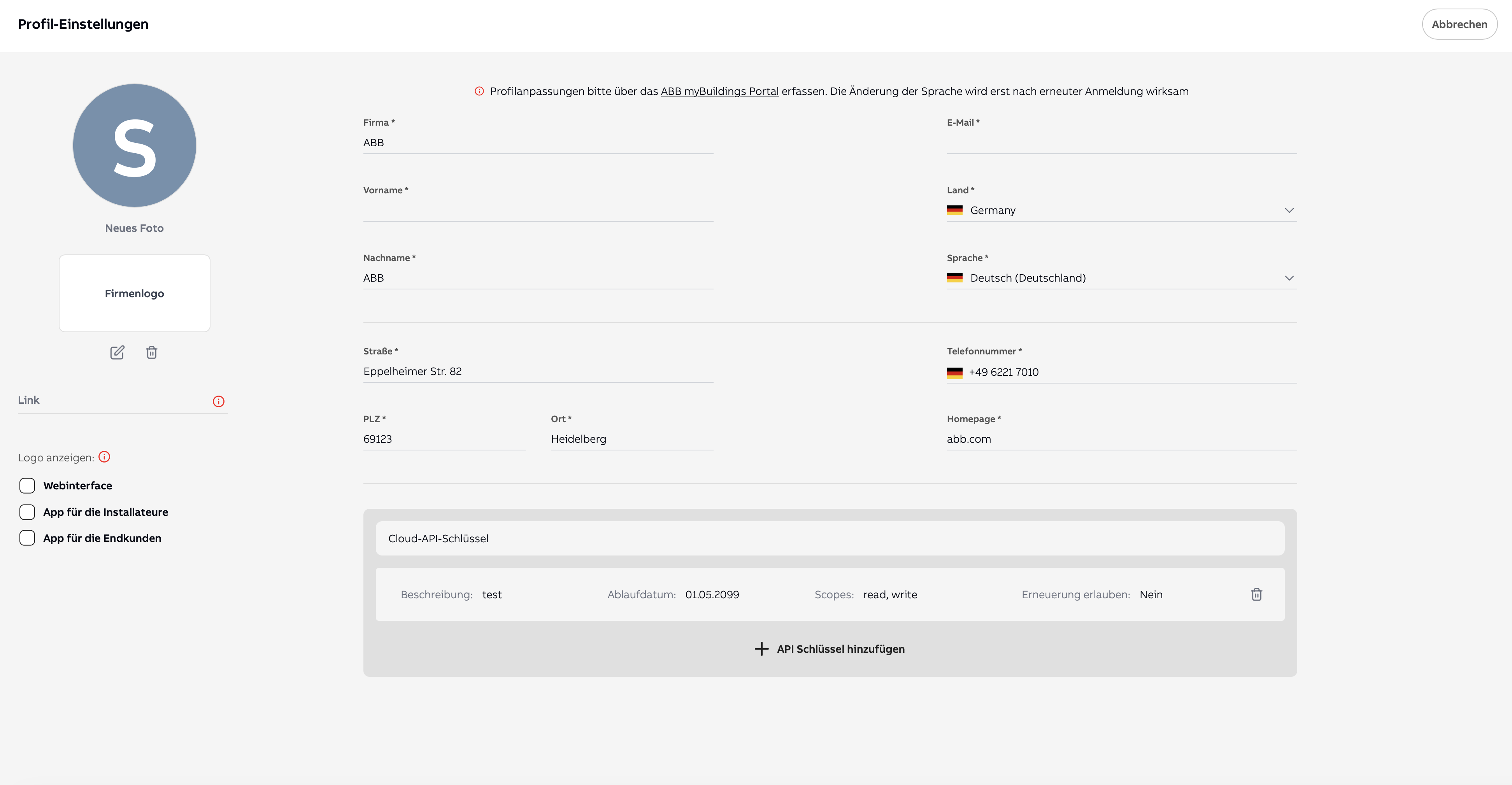
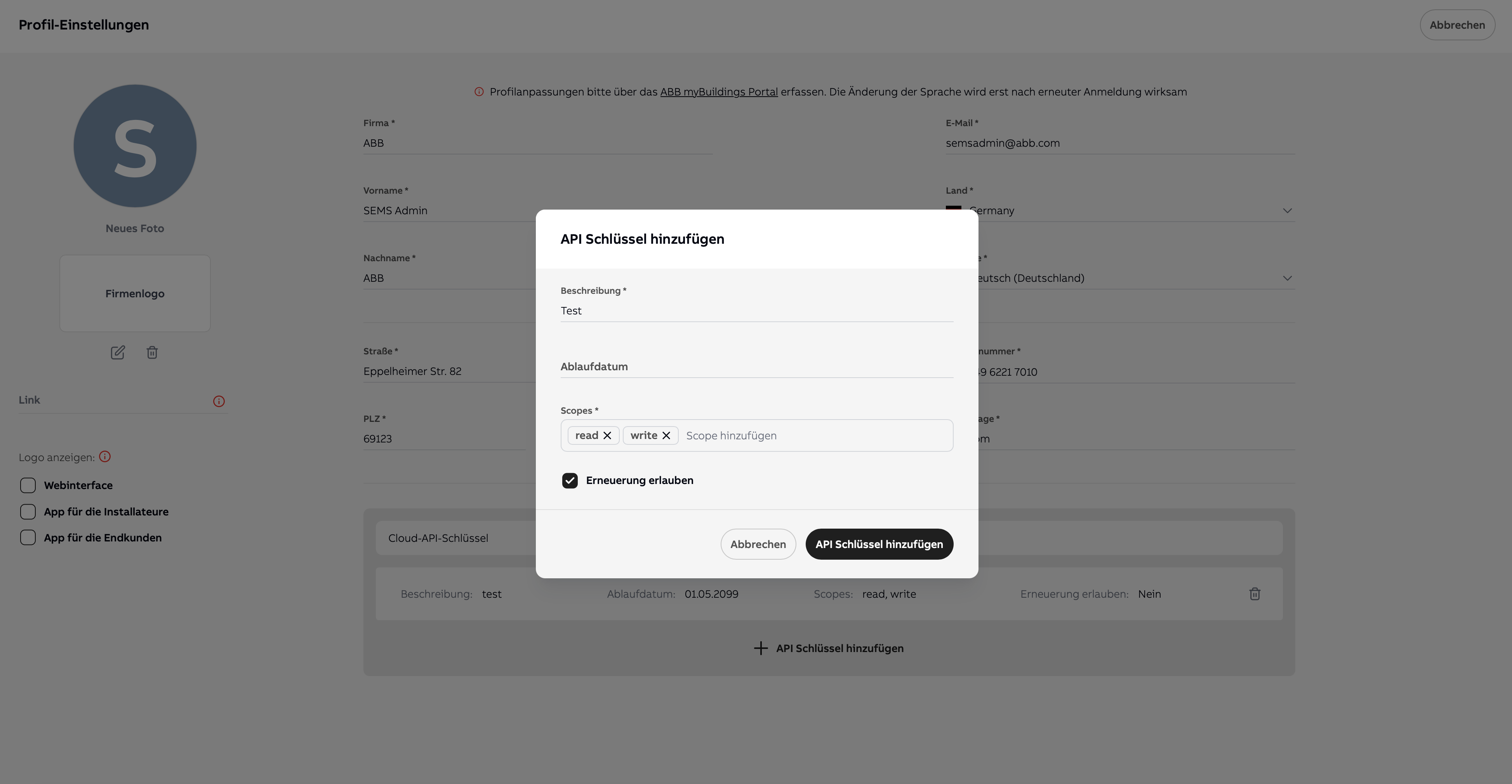
Authentication with an API key
After creation, four integration options are available:
1. Static Refresh Token (recommended): Exchange the API key for a short-lived access token. The API key remains unchanged.
POST /v3/auth/refresh
{ "grant_type": "refresh_token", "refresh_token": "<your-api-key>" }
2. Rotating Refresh Token
To do this, enable the "Allow renewal" option for the API key. With each token refresh, a new refresh token will be automatically issued – the previous key will become invalid. This increases security, but requires your application to persist the new token after each refresh.
3. Header authentication: Pass the API key directly in the request header:
X-API-KEY: <your-api-key>
4. Basic Auth with API Key: Use your username together with the API key as your password:
Authorization: Basic <base64(username:your-api-key)>